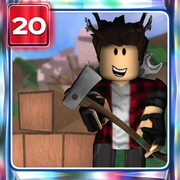
Lumber Tycoon 2 Controls
Lumber Tycoon 2 feels simple until you try to load a truck under pressure. Movement is easy; the grab-and-rotate system is what separates smooth haulers from players who drop logs into rivers. This guide covers every core control on PC and Xbox, then explains practical techniques for chopping, carrying, rotating planks, and interacting with shops without fighting the physics.
PC Keyboard and Mouse
Most LT2 players are on keyboard and mouse. Memorize this set before you buy your first truck:
| Input | Action |
|---|---|
| W A S D | Move your character |
| Space | Jump |
| Left click (axe equipped) | Swing axe / chop |
| Click + drag | Grab and carry objects (logs, boxes, furniture) |
| Shift + WASD | Rotate the object you are holding |
| E | Interact with NPCs, registers, buttons, and many world props |
| Backspace | Drop your equipped axe |
Click the center mass of a log when grabbing. Edge clicks often fail or cause awkward pivot points that make long trunks swing into walls. When a grab feels sticky, release and re-click rather than fighting a bad hold all the way to the sawmill.
Backspace is easy to hit by accident while typing in chat-adjacent habits — if your axe vanishes from your hand, look at your feet first before assuming it was stolen. On public land and roads, dropped axes can be picked up by others depending on permissions and location, so treat accidental drops seriously near busy spawn shops.
Xbox Controller
Console players use a tighter binding set:
| Input | Action |
|---|---|
| Left stick | Move |
| A | Jump |
| RT | Swing axe / primary interact |
| LT + stick | Rotate held object |
Rotation on controller is the skill check. Practice LT + stick on short Oak planks at your base before you attempt long Frost trunks on a narrow bridge. If your truck bed loads look messy, pause, re-grab, and rotate in smaller increments instead of spinning wildly.
Because grab precision is stick-based, many Xbox players prefer shorter log segments from the sawmill cut rather than full-length wild trunks when learning. Once muscle memory settles, full trunks become manageable and haul efficiency jumps.
Chopping and Tree Fall Behavior
Equip an axe and left-click (or RT) the trunk. Keep swinging until the black cut mark travels through the tree; then it falls. Face the side you want the trunk to land toward when possible — bad fall angles dump wood into water, cliffs, or dense rocks that waste minutes of recovery.
Axe tier matters more than raw click speed. The axe tier list shows why Hardened ($550) is the first real breakpoint and why Silver ($2,040) and Rukiryaxe (~$7,720 quest) redefine clear speed. Limited axes such as Fire Axe shine on Volcano wood, while End Times Axe is required for Phantom in the intended late-game loop.
Do not stand directly under a falling tree. Reposition, grab cleanly, and stage logs toward your vehicle path. Beginners who spam swings without planning fall direction often "earn" wood they cannot extract.
Grabbing, Rotating, and Hauling Tips
Hauling is the real mid-game skill ceiling:
- Stack deliberately. Parallel logs on a truck bed travel safer than diagonal chaos piles that clip and fling.
- Rotate before you lift long distances. Use Shift+WASD (or LT+stick) to align a trunk with your path so doorways and bridge rails do not catch corners.
- Prefer planks when value multiplies hard. Frost and Phantom especially reward milling — see the wood values page.
- Use land sawmills. Shabby and Fair sawmills on your plot let you process while you return for another load.
- Bridge and dynamite routing. Opening paths with Bob's Shack Dynamite ($220) and paying the bridge ($100) is part of control mastery: you are navigating with intent, not only clicking trees.
If an object jitters, walk it in shorter segments. Roblox physics in LT2 punish enormous lever arms; cutting a trunk into multiple pieces can be faster than one heroic carry that launches your avatar.
Common Control Mistakes
- Buying vehicles before learning grab/rotate — you will tip loads constantly.
- Chopping high-value trees with a starter hatchet — upgrade first via the getting started guide.
- Dropping axes in spawn traffic with Backspace.
- Ignoring fall direction near cliffs and water.
- Forcing full-length trunks through tight base doors instead of rotating or segmenting.
Spend ten minutes in a private practice loop: chop Oak, rotate, load, unload into a sawmill. That drill pays for itself the first time you haul Lava or Frost without a wipeout. When you are ready for biome-specific routes, pair these controls with the map and locations overview.
Frequently asked questions
How do I rotate items in Lumber Tycoon 2 on PC?
While holding an object, hold Shift and use WASD to rotate it. Re-grab if the pivot feels wrong.
How do I drop my axe?
Press Backspace on PC to drop the equipped axe. Pick it up again quickly in public areas.
What is the Xbox control for chopping?
Use RT to swing your axe. Move with the left stick and jump with A. Rotate held objects with LT + stick.
Why can’t I pick up a log?
Click nearer to the center of the log, make sure nothing else is selected, and try a fresh click-drag. Extremely long trunks can be awkward — cut or mill them into shorter pieces.
Is there a sprint key?
Movement is standard Roblox character movement with WASD or the left stick. Efficiency comes from routing and vehicles more than a special LT2 sprint bind.